
How To Create Accommodation Direct Booking Offers
Creating Direct Booking Offers
A Quick Guide
Encourage visitors to book directly with your business – saving on commission fees and helping strengthen York’s visitor economy.
As part of Visit York’s ongoing support for local businesses, we’re encouraging accommodation providers to make the most of their listings by adding Direct Booking Offers. Every booking made through your own website keeps more income in the city, helping independent and family-run businesses thrive while ensuring visitors enjoy a more authentic experience of York.
Adding your offer to visityork.org is simple, free, and highly effective. Your business will appear in front of thousands of potential guests looking for places to stay – whether they’re planning a weekend break, a family holiday, or a last-minute getaway.
Step 1 – Log in
Go to visityork.org/login and sign in using your member details.
Step 2 – Select your Business
In the left-hand menu, choose your business name.

Step 3 – Go to the Offers Tab
Click the Offers tab, then select + Create to add a new offer.

Step 4 – Fill Out Your Content
Complete the required fields under the Content tab:
- Title – make it clear and appealing (e.g. Book Direct – Save 10% This Winter).
- Image – upload a high-quality landscape image (max 500KB).
- Dates – set your Post Date and Expiry Date. These are the dates the offer will go live on the website, and then removed. If you wish to have this offer posted indefinitely, you can leave the expiry date blank and disable the offer in the future if needed.
- Details – include a short description and your direct booking link.


Step 5 – Choose Your Categories
Select the Categories tab, then under Offer Category, tick Direct Booking Offers.
This category will ensure you offer is listed on the Direct Booking Offers page.
You can also add optional categories such as Dog Friendly or Family Friendly.

Step 6 – Submit for Approval
Click Preview to see what your offer will look like on the live site. Once you’re happy with your listing, click Submit for Approval. The Visit York team will review your offer before it goes live on visityork.org. Once approved, you will receive an email confirming your offer is now live!
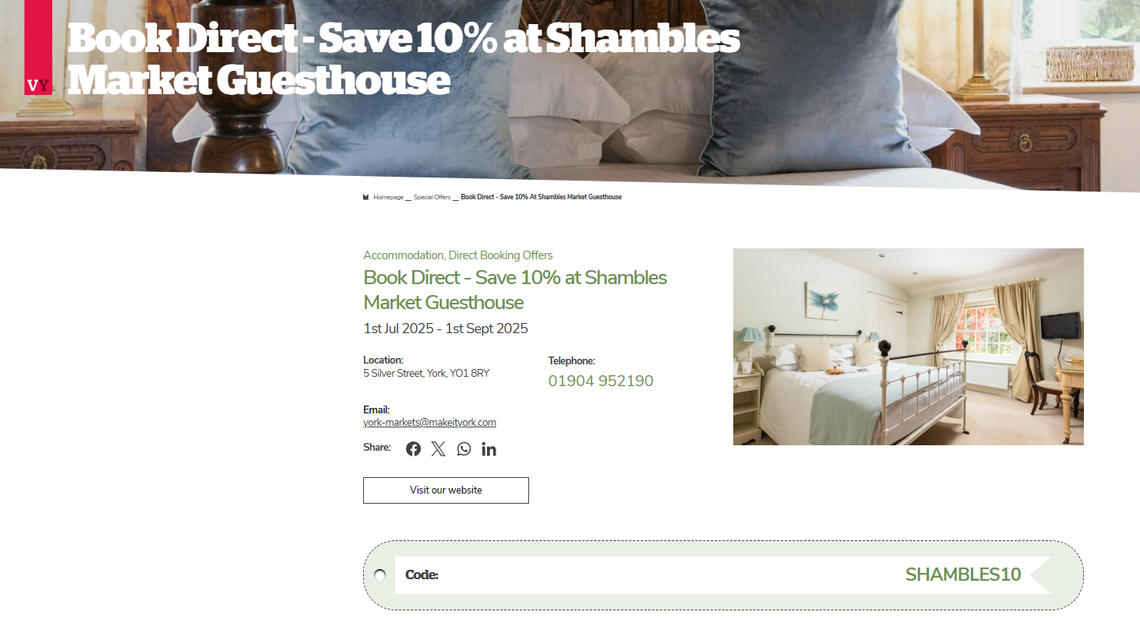
See an example of a live offer below - or discover other accommodation offers here.
Top Tips
- Keep your offer concise, with a clear incentive to book direct.
- Add an attractive image that reflects your property’s style or experience.
- Ensure your booking link goes straight to your own website’s booking page.
- Update or replace expired offers regularly to keep your listing fresh.
Need help?
If you’d like support uploading your offers, please contact the Visit York Digital Team at digitalteam@makeityork.com.